

Activate Automation and Pause Automation
Activate Automation turns a paused automation back on; Pause Automation pauses an active one. Both have a single field: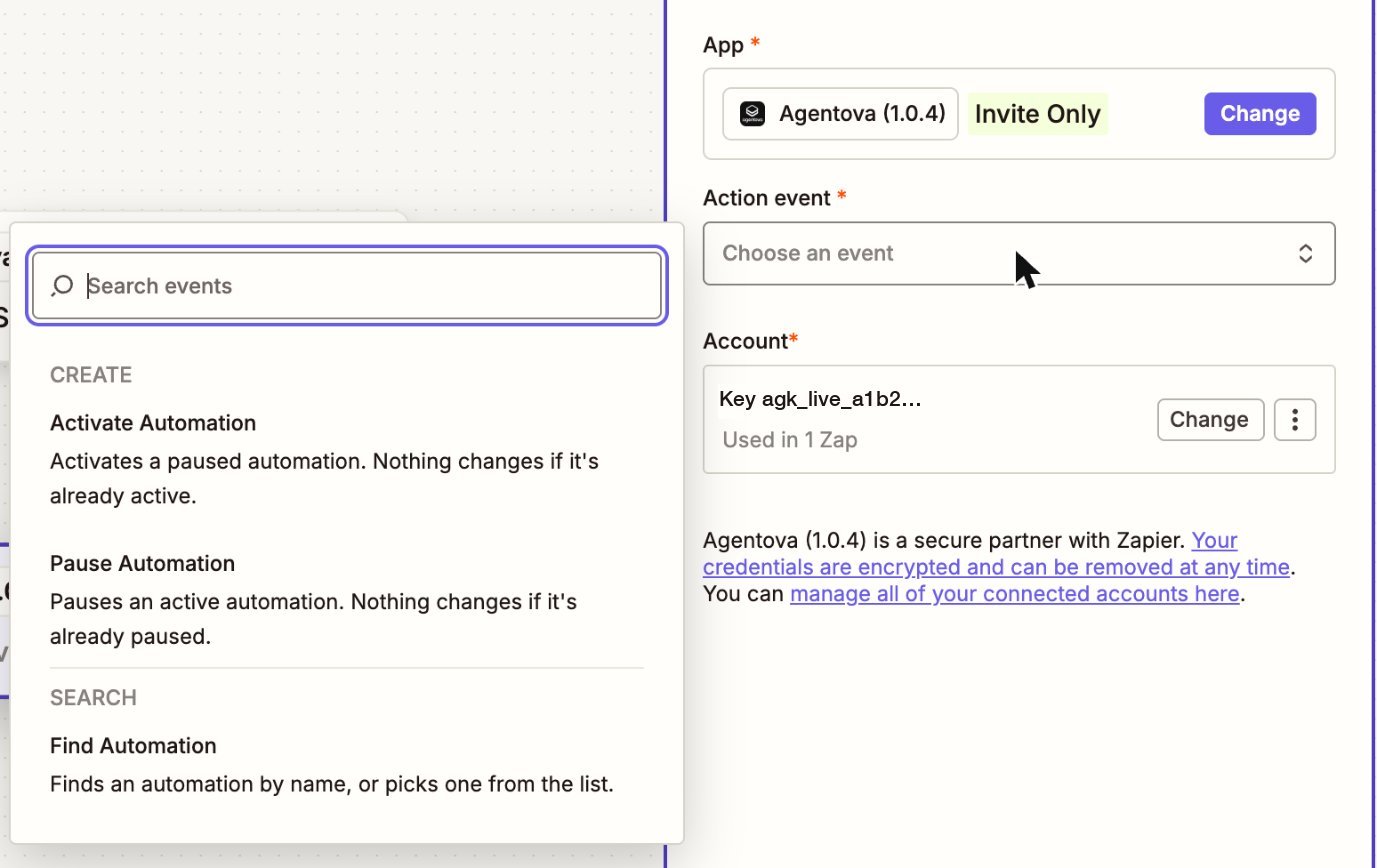
Agentova's actions and search, when choosing the event of an action step
active, or error if the channel couldn’t be reconnected.
Nothing that arrives during a pause is caught up afterwards, except for Customer.io after a short pause:
Only
active and paused automations can be switched. A draft or error automation is refused (422 automation_not_controllable): fix it in the Agentova app first.
A mailbox can only be used by one active agent, as in the Agentova app: reactivating an email automation whose mailbox another active agent already uses is refused too (422 automation_not_controllable, with details.reason: account_in_use). Detach the mailbox from the other agent in the Agentova app first.
Find Automation
Finds an automation so that a later step can use it.
Automation names read “what the automation does — agent name”, for example “Comment replies — Support Agent”, “Email replies — Support Agent” or “Lead Ads — Support Agent”, and for a CRM source “HubSpot contacts — Support Agent”. The names of messaging automations don’t contain the channel, so searching “Instagram” finds nothing. And the same agent on two channels gives two automations with the same name.